
# PinePods :evergreen_tree:
[](https://discord.gg/bKzHRa4GNc)
[](https://matrix.to/#/#pinepods:matrix.org)
[](https://github.com/madeofpendletonwool/PinePods/actions)
[](https://github.com/madeofpendletonwool/PinePods/releases)
---
- [PinePods :evergreen_tree:](#pinepods-evergreen_tree)
- [Getting Started](#getting-started)
- [Features](#features)
- [Try it out! :zap:](#try-it-out-zap)
- [Installing :runner:](#installing-runner)
- [Server Installation :floppy_disk:](#server-installation-floppy_disk)
- [Docker Compose](#docker-compose)
- [Helm Deployment](#helm-deployment)
- [Admin User Info](#admin-user-info)
- [Note on the Search API](#note-on-the-search-api)
- [Timezone Configuration](#timezone-configuration)
- [Start it up!](#start-it-up)
- [Client Installs](#client-installs)
- [Linux Client Install :computer:](#linux-client-install-computer)
- [Windows Client Install :computer:](#windows-client-install-computer)
- [Mac Client Install :computer:](#mac-client-install-computer)
- [Android Install :iphone:](#android-install-iphone)
- [iOS Install :iphone:](#ios-install-iphone)
- [PodPeople DB](#podpeople-db)
- [Pinepods Firewood](#pinepods-firewood)
- [Platform Availability](#platform-availability)
- [ToDo](#todo)
- [Screenshots :camera:](#screenshots-camera)
# Getting Started
PinePods is a Rust based podcast management system that manages podcasts with multi-user support and relies on a central database with clients to connect to it. It's browser based and your podcasts and settings follow you from device to device due to everything being stored on the server. You can subscribe to podcasts and even hosts for podcasts with the help of the PodPeopleDB. It has a native mobile app for Ios and Android and comes prebaked with it own internal gpodder server so you can use external apps like Antennapod as well!
For more information than what's provided in this repo visit the [documentation site](https://www.pinepods.online/).
## Features
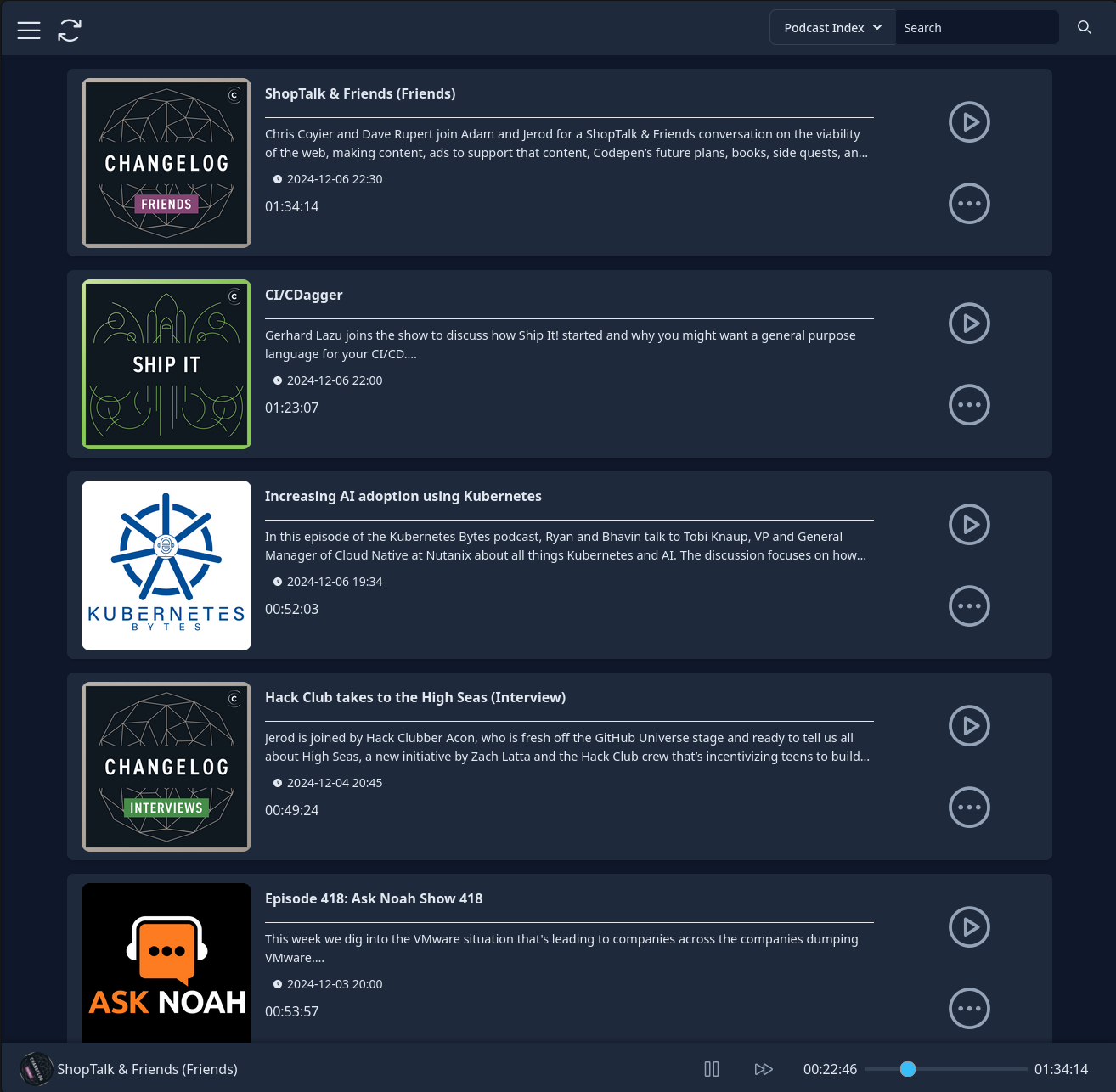
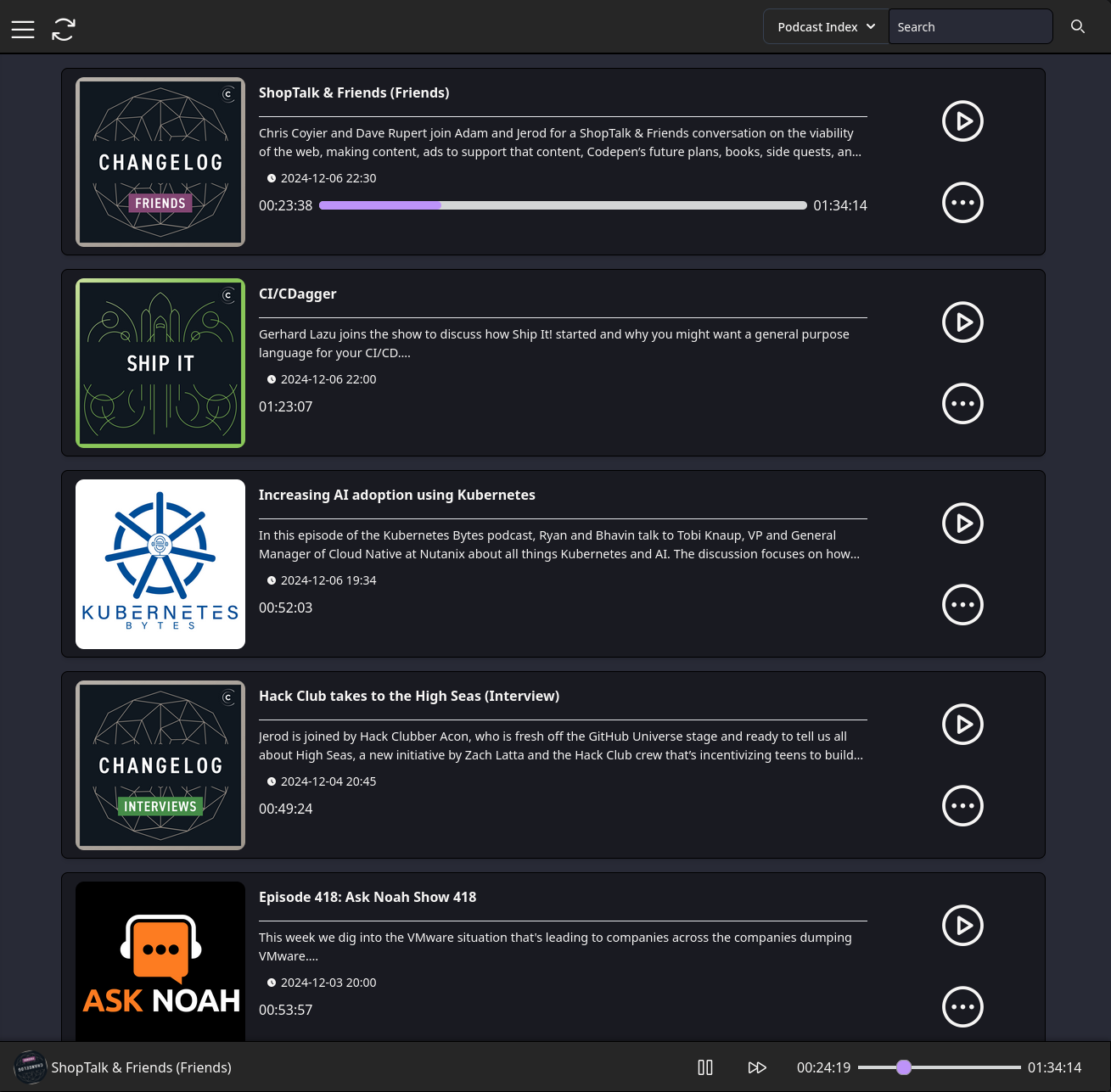
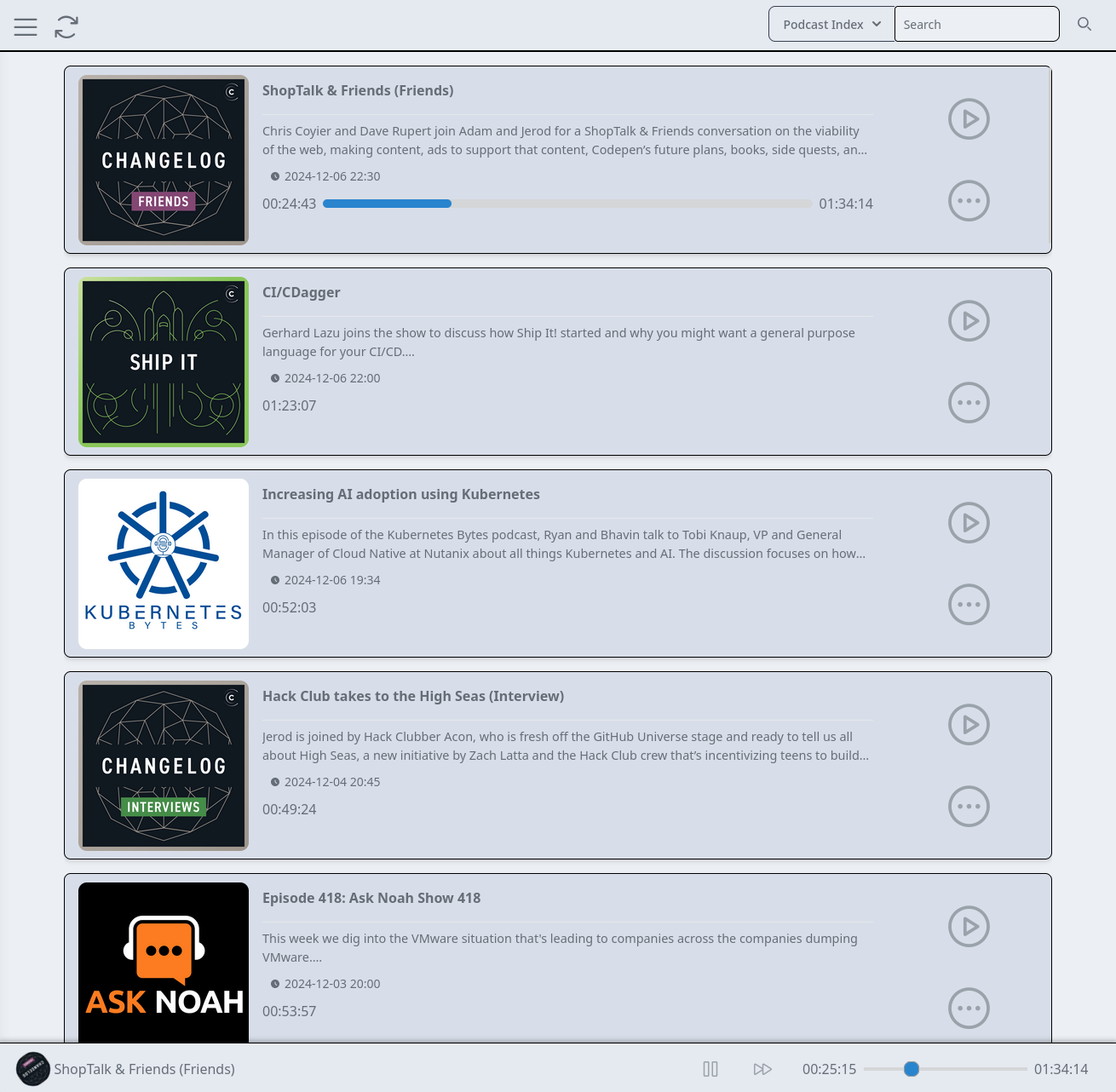
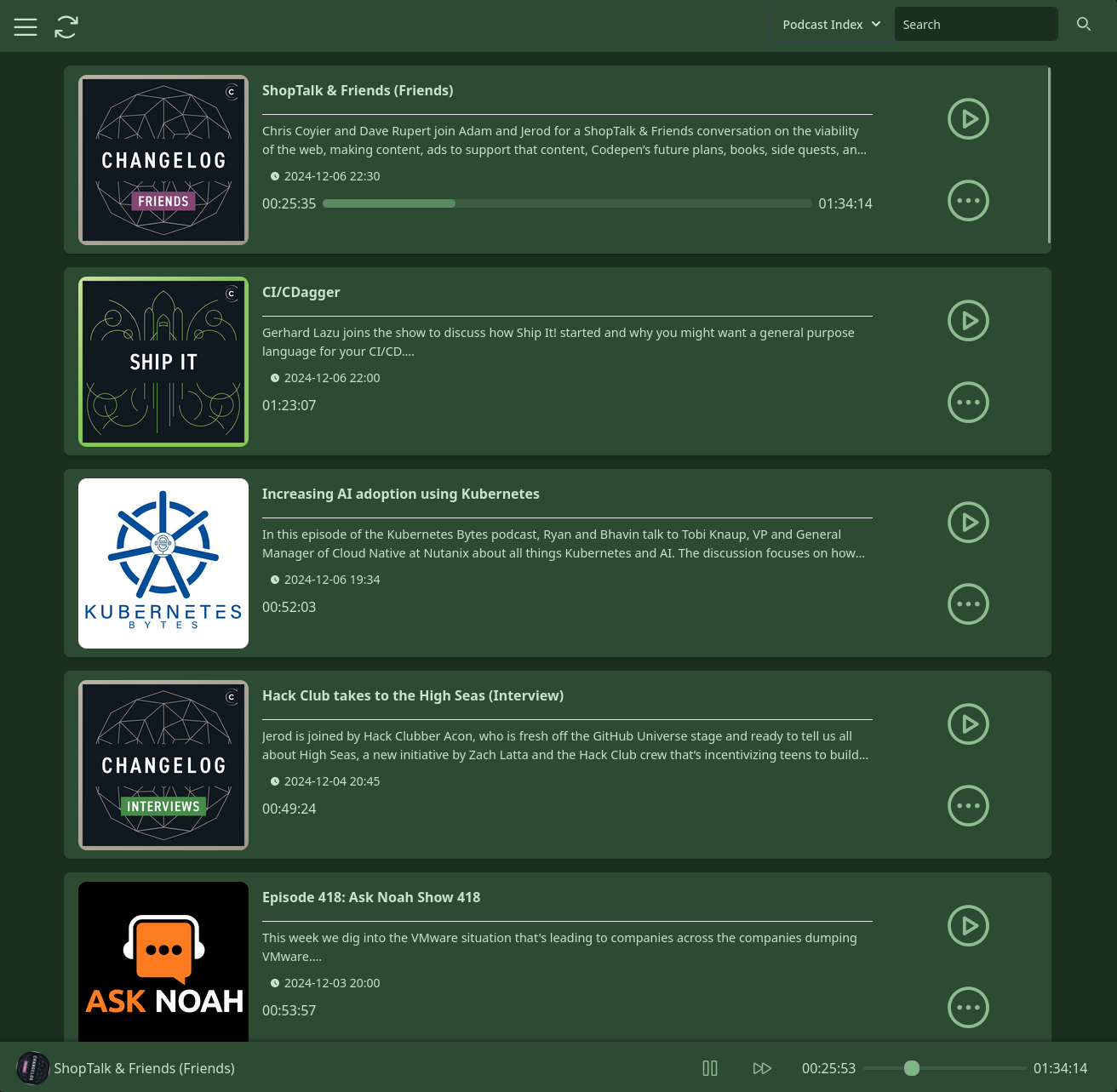
Pinepods is a complete podcast management system and allows you to play, download, and keep track of podcasts you (or any of your users) enjoy. It allows for searching and subscribing to hosts and podcasts using The Podcast Index or Itunes and provides a modern looking UI to browse through shows and episodes. In addition, Pinepods provides simple user management and can be used by multiple users at once using a browser or app version. Everything is saved into a MySQL, MariaDB, or Postgres database including user settings, podcasts and episodes. It's fully self-hosted, open-sourced, and I provide an option to use a hosted search API or you can also get one from the Podcast Index and use your own. There's even many different themes to choose from! Everything is fully dockerized and I provide a simple guide found below explaining how to install and run Pinepods on your own system.
There's plenty more features as well, check out the [Pinepods Site](https://www.pinepods.online/docs/Features/smart-playlists) for more!
## Try it out! :zap:
I maintain an instance of Pinepods that's publicly accessible for testing over at [try.pinepods.online](https://try.pinepods.online). Feel free to make an account there and try it out before making your own server instance. This is not intended as a permanent method of using Pinepods and it's expected you run your own server; accounts will often be deleted from there.
## Installing :runner:
There's potentially a few steps to getting Pinepods fully installed. After you get your server up and running fully you can also install the client editions of your choice. The server install of Pinepods runs a server and a browser client over a port of your choice in order to be accessible on the web. With the client installs you simply give the client your server url to connect to the database and then sign in.
### Server Installation :floppy_disk:
First, the server. You have multiple options for deploying Pinepods:
- [Using Docker Compose :whale:](#docker-compose)
- [Using Helm for Kubernetes :anchor:](#helm-deployment)
You can also choose to use MySQL/MariaDB or Postgres as your database. Examples for both are provided below.
### Docker Compose
> **⚠️ WARNING:** An issue was recently pointed out to me related to postgres version 18. If you run into an error that looks like this on startup when using postgres:
```
Failed to deploy a stack: compose up operation failed: Error response from daemon: failed to create task for container: failed to create shim task: OCI runtime create failed: runc create failed: unable to start container process: error during container init: error mounting "" to rootfs at "/var/lib/postgresql/data": change mount propagation through procfd: open o_path procfd: open //overlay2/17561d31d0730b3fd3071752d82cf8fe60b2ea0ed84521c6ee8b06427ca8f064/merged/var/lib/postgresql/data: no such file or directory: unknown`
```
> Please change your postgres tag in your compose to '17'. See [this issue](https://github.com/docker-library/postgres/issues/1363) for more details.
#### User Permissions
Pinepods can run with specific user permissions to ensure downloaded files are accessible on the host system. This is controlled through two environment variables:
- `PUID`: Process User ID (defaults to 1000 if not set)
- `PGID`: Process Group ID (defaults to 1000 if not set)
To find your user's UID and GID, run:
```bash
id -u # Your UID
id -g # Your GID
```
#### Compose File - PostgreSQL (Recommended)
```yaml
services:
db:
container_name: db
image: postgres:17
environment:
POSTGRES_DB: pinepods_database
POSTGRES_USER: postgres
POSTGRES_PASSWORD: myS3curepass
PGDATA: /var/lib/postgresql/data/pgdata
volumes:
- /home/user/pinepods/pgdata:/var/lib/postgresql/data
restart: always
valkey:
image: valkey/valkey:8-alpine
restart: always
pinepods:
image: madeofpendletonwool/pinepods:latest
ports:
- "8040:8040"
environment:
# Basic Server Info
SEARCH_API_URL: 'https://search.pinepods.online/api/search'
PEOPLE_API_URL: 'https://people.pinepods.online'
HOSTNAME: 'http://localhost:8040'
# Database Vars
DB_TYPE: postgresql
DB_HOST: db
DB_PORT: 5432
DB_USER: postgres
DB_PASSWORD: myS3curepass
DB_NAME: pinepods_database
# Valkey Settings
VALKEY_HOST: valkey
VALKEY_PORT: 6379
# Enable or Disable Debug Mode for additional Printing
DEBUG_MODE: false
PUID: ${UID:-911}
PGID: ${GID:-911}
# Add timezone configuration
TZ: "America/New_York"
volumes:
# Mount the download and backup locations on the server
- /home/user/pinepods/downloads:/opt/pinepods/downloads
- /home/user/pinepods/backups:/opt/pinepods/backups
# Timezone volumes, HIGHLY optional. Read the timezone notes below
- /etc/localtime:/etc/localtime:ro
- /etc/timezone:/etc/timezone:ro
restart: always
depends_on:
- db
- valkey
```
#### Compose File - MariaDB (Alternative)
```yaml
services:
db:
container_name: db
image: mariadb:12
command: --wait_timeout=1800
environment:
MYSQL_TCP_PORT: 3306
MYSQL_ROOT_PASSWORD: myS3curepass
MYSQL_DATABASE: pinepods_database
MYSQL_COLLATION_SERVER: utf8mb4_unicode_ci
MYSQL_CHARACTER_SET_SERVER: utf8mb4
MYSQL_INIT_CONNECT: 'SET @@GLOBAL.max_allowed_packet=64*1024*1024;'
volumes:
- /home/user/pinepods/sql:/var/lib/mysql
restart: always
valkey:
image: valkey/valkey:8-alpine
pinepods:
image: madeofpendletonwool/pinepods:latest
ports:
- "8040:8040"
environment:
# Basic Server Info
SEARCH_API_URL: 'https://search.pinepods.online/api/search'
PEOPLE_API_URL: 'https://people.pinepods.online'
HOSTNAME: 'http://localhost:8040'
# Database Vars
DB_TYPE: mariadb
DB_HOST: db
DB_PORT: 3306
DB_USER: root
DB_PASSWORD: myS3curepass
DB_NAME: pinepods_database
# Valkey Settings
VALKEY_HOST: valkey
VALKEY_PORT: 6379
# Enable or Disable Debug Mode for additional Printing
DEBUG_MODE: false
PUID: ${UID:-911}
PGID: ${GID:-911}
# Add timezone configuration
TZ: "America/New_York"
volumes:
# Mount the download and backup locations on the server
- /home/user/pinepods/downloads:/opt/pinepods/downloads
- /home/user/pinepods/backups:/opt/pinepods/backups
# Timezone volumes, HIGHLY optional. Read the timezone notes below
- /etc/localtime:/etc/localtime:ro
- /etc/timezone:/etc/timezone:ro
depends_on:
- db
- valkey
```
Make sure you change these variables to variables specific to yourself at a minimum.
```
# The url you hit the site at. Only used for sharing rss feeds
HOSTNAME: 'http://localhost:8040'
# These next 4 are optional. They allow you to set an admin without setting on the first boot
USERNAME: pinepods
PASSWORD: password
FULLNAME: John Pinepods
EMAIL: john@pinepods.com
# DB vars should match your values for the db you set up above
DB_TYPE: postgresql
DB_HOST: db
DB_PORT: 5432
DB_USER: postgres
DB_PASSWORD: myS3curepass
DB_NAME: pinepods_database
```
Most of those are pretty obvious, but let's break a couple of them down.
#### Admin User Info
First of all, the USERNAME, PASSWORD, FULLNAME, and EMAIL vars are your details for your default admin account. This account will have admin credentials and will be able to log in right when you start up the app. Once started you'll be able to create more users and even more admins but you need an account to kick things off on. If you don't specify credentials in the compose file it will prompt you to create an account before first login.
#### Note on the Search API
Let's talk quickly about the searching API. This allows you to search for new podcasts and it queries either itunes or the podcast index for new podcasts. It also allows for searching youtube channels via the Google Search API. The podcast index and Google Search require an api key while itunes does not. If you'd rather not mess with the api at all simply set the API_URL to the one below, however, know that Google implements a limit per day on youtube searches and the search api that I maintain below hits it's limit pretty quick. So if you're a big youtube user you might want to host your own.
```
SEARCH_API_URL: 'https://search.pinepods.online/api/search'
```
Above is an api that I maintain. I do not guarantee 100% uptime on this api though, it should be up most of the time besides a random internet or power outage here or there. A better idea though, and what I would honestly recommend is to maintain your own api. It's super easy. Check out the API docs for more information on doing this. Link Below -
https://www.pinepods.online/docs/API/search_api
#### Timezone Configuration
PinePods supports displaying timestamps in your local timezone instead of UTC. This helps improve readability and prevents confusion when viewing timestamps such as "last sync" times in the gpodder API. Note that this configuration is specifically for logs. Each user sets their own timezone settings on first login. That is seperate from this server timezone config.
##### Setting the Timezone
You have two main options for configuring the timezone in PinePods:
##### Option 1: Using the TZ Environment Variable (Recommended)
Add the `TZ` environment variable to your docker-compose.yml file:
```yaml
services:
pinepods:
image: madeofpendletonwool/pinepods:latest
environment:
# Other environment variables...
TZ: "America/Chicago" # Set your preferred timezone
```
This method works consistently across all operating systems (Linux, macOS, Windows) and is the recommended approach.
##### Option 2: Mounting Host Timezone Files (Linux Only)
On Linux systems, you can mount the host's timezone files:
```yaml
services:
pinepods:
image: madeofpendletonwool/pinepods:latest
volumes:
# Other volumes...
- /etc/localtime:/etc/localtime:ro
- /etc/timezone:/etc/timezone:ro
```
**Note**: This method only works reliably on Linux hosts. For macOS and Windows users, please use the TZ environment variable (Option 1).
##### Priority
If both methods are used:
1. The TZ environment variable takes precedence
2. Mounted timezone files are used as a fallback
##### Common Timezone Values
Here are some common timezone identifiers:
- `America/New_York` - Eastern Time
- `America/Chicago` - Central Time
- `America/Denver` - Mountain Time
- `America/Los_Angeles` - Pacific Time
- `Europe/London` - United Kingdom
- `Europe/Berlin` - Central Europe
- `Asia/Tokyo` - Japan
- `Australia/Sydney` - Australia Eastern
For a complete list of valid timezone identifiers, see the [IANA Time Zone Database](https://www.iana.org/time-zones).
##### Troubleshooting Timezones
**I'm on macOS and timezone settings aren't working**
macOS uses a different timezone file format than Linux. You must use the TZ environment variable method on macOS.
#### Start it up!
Either way, once you have everything all setup and your compose file created go ahead and run
```
sudo docker-compose up
```
To pull the container images and get started. Once fully started up you'll be able to access pinepods at the port you configured and you'll be able to start connecting clients as well.
### Helm Deployment
Alternatively, you can deploy Pinepods using Helm on a Kubernetes cluster. Helm is a package manager for Kubernetes that simplifies deployment.
#### Adding the Helm Repository
First, add the Pinepods Helm repository:
```bash
helm repo add pinepods http://helm.pinepods.online
helm repo update
```
#### Installing the Chart
To install the Pinepods Helm chart with default values:
```bash
helm install pinepods pinepods/pinepods --namespace pinepods-namespace --create-namespace
```
Or with custom values:
```bash
helm install pinepods pinepods/pinepods -f my-values.yaml --namespace pinepods-namespace --create-namespace
```
#### Configuration Options
The Helm chart supports extensive configuration. Key areas include:
**Main Application:**
- Image repository and tag configuration
- Service type and port settings
- Ingress configuration with TLS support
- Persistent storage for downloads and backups
- Resource limits and requests
- Security contexts and pod placement
**Dependencies:**
- PostgreSQL database (can be disabled for external database)
- Valkey/Redis for caching (can be disabled)
- Optional backend API deployment for self-hosted search
- Optional PodPeople database for podcast host information
**Example values.yaml:**
```yaml
# Main application configuration
image:
repository: madeofpendletonwool/pinepods
tag: latest
pullPolicy: IfNotPresent
service:
type: ClusterIP
port: 8040
ingress:
enabled: true
className: ""
annotations:
traefik.ingress.kubernetes.io/router.entrypoints: web
hosts:
- host: pinepods.example.com
paths:
- path: /
pathType: Prefix
tls: []
# Persistent storage
persistence:
enabled: true
downloads:
storageClass: "" # Use default storage class
size: 5Gi
backups:
storageClass: ""
size: 2Gi
# Database configuration
postgresql:
enabled: true
auth:
username: postgres
password: "changeme"
database: pinepods_database
persistence:
enabled: true
size: 3Gi
# Valkey/Redis configuration
valkey:
enabled: true
architecture: standalone
auth:
enabled: false
# Optional backend API (self-hosted search)
backend:
enabled: false
secrets:
apiKey: "YOUR_PODCAST_INDEX_KEY"
apiSecret: "YOUR_PODCAST_INDEX_SECRET"
# Optional PodPeople database
podpeople:
enabled: false
# Application environment
env:
USERNAME: "admin"
PASSWORD: "password"
FULLNAME: "Admin User"
EMAIL: "admin@example.com"
DEBUG_MODE: "false"
HOSTNAME: 'http://localhost:8040'
```
#### External Database Configuration
To use an external database instead of the included PostgreSQL:
```yaml
postgresql:
enabled: false
externalDatabase:
host: "your-postgres-host"
port: 5432
user: postgres
password: "your-password"
database: pinepods_database
```
#### Create a Namespace for Pinepods
Create a namespace to hold the deployment:
```bash
kubectl create namespace pinepods-namespace
```
#### Starting Helm
Once you have everything set up, install the Helm chart:
```bash
helm install pinepods pinepods/pinepods -f my-values.yaml --namespace pinepods-namespace --create-namespace
```
This will deploy Pinepods on your Kubernetes cluster with a postgres database. MySQL/MariaDB is not supported with the kubernetes setup. The service will be accessible at the specified NodePort.
Check out the Tutorials on the documentation site for more information on how to do basic things:
https://pinepods.online/tutorial-basic/sign-in-homescreen.md
## Client Installs
Any of the client additions are super easy to get going.
### Linux Client Install :computer:
#### AppImage, Fedora/Red Hat Derivative/Debian based (Ubuntu)
First head over to the releases page on Github
https://github.com/madeofpendletonwool/PinePods/releases
Grab the latest linux release. There's both an appimage a deb, and an rpm. Use the appimage of course if you aren't using a debian or red hat based distro. Change the permissions if using the appimage version to allow it to run.
```
sudo chmod +x pinepods.appimage
```
^ The name of the app file will vary slightly based on the version so be sure you change it or it won't work.
For the rpm or deb version just run and install
Once started you'll be able to sign in with your username and password. The server name is simply the url you browse to to access the server.
#### Arch Linux (AUR)
Install the Pinepods Client right from the AUR! Replace the command below with your favorite aur helper
```
paru -S pinepods
```
#### Flatpak
 You can search for Pinepods in your favorite flatpak installer gui app such as Gnome Software.
Flathub page can be found [here](https://flathub.org/apps/com.gooseberrydevelopment.pinepods)
```
flatpak install flathub com.gooseberrydevelopment.pinepods
```
#### Snap
I have had such a nightmare trying to make the snap client work. Pass, use the flatpak. They're better anyway. I'll test it again in the future and see if Canonical has gotten it together. If you really want a snap version of the client please reach out and tell me you're interested in the first place.
### Windows Client Install :computer:
First head over to the releases page on Github
https://github.com/madeofpendletonwool/PinePods/releases
There's a exe and msi windows install file.
The exe will actually start an install window and allow you to properly install the program to your computer.
The msi will simply run a portable version of the app.
Either one does the same thing ultimately and will work just fine.
Once started you'll be able to sign in with your username and password. The server name is simply the url you browse to to access the server.
### Mac Client Install :computer:
First head over to the releases page on Github
https://github.com/madeofpendletonwool/PinePods/releases
There's a dmg and pinepods_mac file.
Simply extract, and then go into Contents/MacOS. From there you can run the app.
The dmg file will prompt you to install the Pinepods client into your applications folder while the _mac file will just run a portable version of the app.
Once started you'll be able to sign in with your username and password. The server name is simply the url you browse to to access the server.
### Android Install :iphone:
You can search for Pinepods in your favorite flatpak installer gui app such as Gnome Software.
Flathub page can be found [here](https://flathub.org/apps/com.gooseberrydevelopment.pinepods)
```
flatpak install flathub com.gooseberrydevelopment.pinepods
```
#### Snap
I have had such a nightmare trying to make the snap client work. Pass, use the flatpak. They're better anyway. I'll test it again in the future and see if Canonical has gotten it together. If you really want a snap version of the client please reach out and tell me you're interested in the first place.
### Windows Client Install :computer:
First head over to the releases page on Github
https://github.com/madeofpendletonwool/PinePods/releases
There's a exe and msi windows install file.
The exe will actually start an install window and allow you to properly install the program to your computer.
The msi will simply run a portable version of the app.
Either one does the same thing ultimately and will work just fine.
Once started you'll be able to sign in with your username and password. The server name is simply the url you browse to to access the server.
### Mac Client Install :computer:
First head over to the releases page on Github
https://github.com/madeofpendletonwool/PinePods/releases
There's a dmg and pinepods_mac file.
Simply extract, and then go into Contents/MacOS. From there you can run the app.
The dmg file will prompt you to install the Pinepods client into your applications folder while the _mac file will just run a portable version of the app.
Once started you'll be able to sign in with your username and password. The server name is simply the url you browse to to access the server.
### Android Install :iphone:

 Currently there's options for direct downloads and Pinepods is on the IzzyOnDroid storefront! More locations coming soon!
### iOS Install :iphone:
Currently there's options for direct downloads and Pinepods is on the IzzyOnDroid storefront! More locations coming soon!
### iOS Install :iphone:
 The iOS app has arrived! Enjoy!
## PodPeople DB
Podpeople DB is a project that I maintain and also develop. Podpeople DB is a way to supplement Person tags for podcasts that don't support them by default. This allows the community to maintain hosts and follow them to all podcasts! I maintain an instance of Podpeople DB at podpeopledb.com. Otherwise, it's an open source project and you can maintain an instance of your own if you prefer. For information on that go [here](https://podpeopledb.com/docs/self-host). You can download the database yourself and maintain your own instance. If you do decide to go this route please still add any hosts for your favorite podcasts at the instance hosted at podpeopledb.com. The community will thank you!
For additional info on Podpeople DB check out [the docs](https://podpeopledb.com/docs/what-is-this-for).
Additionally, I've written [a blog](https://www.pinepods.online/blog) post discussing the rationale around its creation.
Finally, you can check out the Repo for it [here!](https://github.com/madeofpendletonwool/podpeople-db)
## Pinepods Firewood
A CLI only client that can be used to remotely share your podcasts to has had it's first release! Now you can enjoy podcasts from the comfort of your terminal! Check out [Pinepods Firewood!](https://github.com/madeofpendletonwool/pinepods-firewood)
## Platform Availability
The Intention is for this app to become available on Windows, Linux, Mac, Android, and iOS. Windows, Linux, Mac, web, and android are all currently available and working.
ARM devices are also supported including raspberry pis. The app is shockingly performant on a raspberry pi as well. The only limitation is that a 64bit OS is required on an ARM device. Setup is exactly the same, just use the latest tag and docker will auto pull the ARM version.
### Clients to support
- [x] Flatpak Package
- [ ] Nix Package
- [x] Aur Package
- [x] Helm Chart and repo for kubernetes deployment
- [x] Mobile Apps
- [x] Android App - Beta
- [ ] Android Auto support
- [x] iOS App
- [ ] Packaging and automation
## Screenshots :camera:
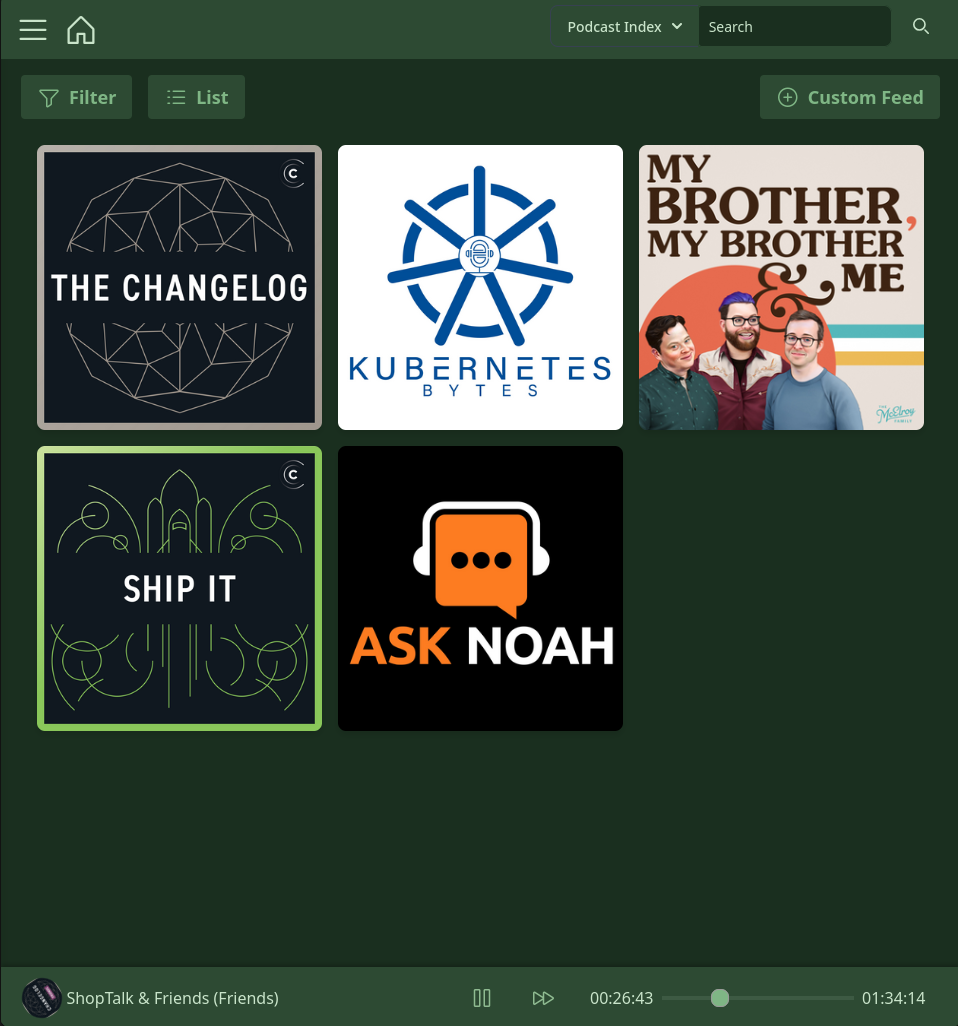
Main Homepage with podcasts displayed
The iOS app has arrived! Enjoy!
## PodPeople DB
Podpeople DB is a project that I maintain and also develop. Podpeople DB is a way to supplement Person tags for podcasts that don't support them by default. This allows the community to maintain hosts and follow them to all podcasts! I maintain an instance of Podpeople DB at podpeopledb.com. Otherwise, it's an open source project and you can maintain an instance of your own if you prefer. For information on that go [here](https://podpeopledb.com/docs/self-host). You can download the database yourself and maintain your own instance. If you do decide to go this route please still add any hosts for your favorite podcasts at the instance hosted at podpeopledb.com. The community will thank you!
For additional info on Podpeople DB check out [the docs](https://podpeopledb.com/docs/what-is-this-for).
Additionally, I've written [a blog](https://www.pinepods.online/blog) post discussing the rationale around its creation.
Finally, you can check out the Repo for it [here!](https://github.com/madeofpendletonwool/podpeople-db)
## Pinepods Firewood
A CLI only client that can be used to remotely share your podcasts to has had it's first release! Now you can enjoy podcasts from the comfort of your terminal! Check out [Pinepods Firewood!](https://github.com/madeofpendletonwool/pinepods-firewood)
## Platform Availability
The Intention is for this app to become available on Windows, Linux, Mac, Android, and iOS. Windows, Linux, Mac, web, and android are all currently available and working.
ARM devices are also supported including raspberry pis. The app is shockingly performant on a raspberry pi as well. The only limitation is that a 64bit OS is required on an ARM device. Setup is exactly the same, just use the latest tag and docker will auto pull the ARM version.
### Clients to support
- [x] Flatpak Package
- [ ] Nix Package
- [x] Aur Package
- [x] Helm Chart and repo for kubernetes deployment
- [x] Mobile Apps
- [x] Android App - Beta
- [ ] Android Auto support
- [x] iOS App
- [ ] Packaging and automation
## Screenshots :camera:
Main Homepage with podcasts displayed
Loads of themes!
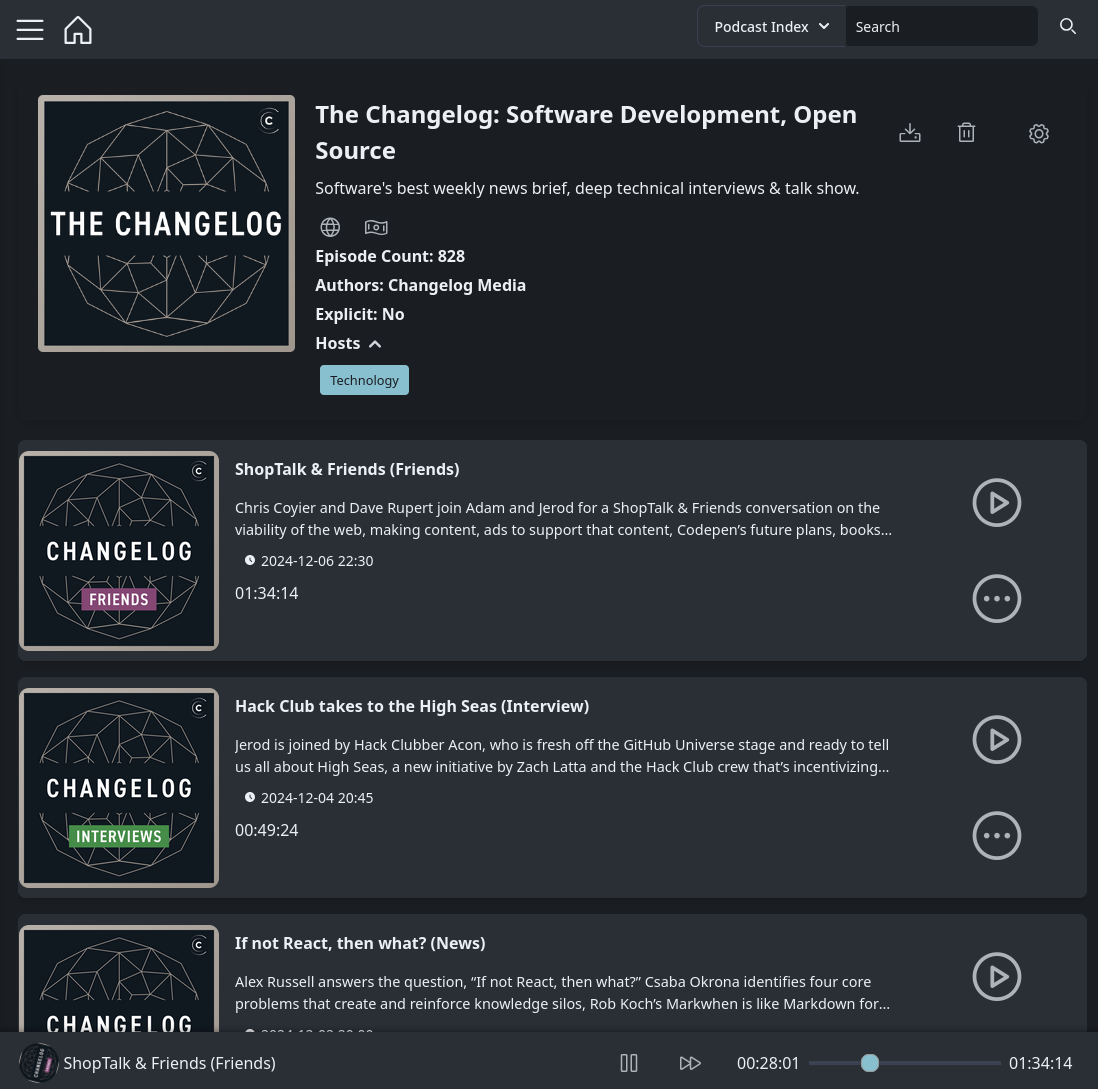
Full Podcast Management
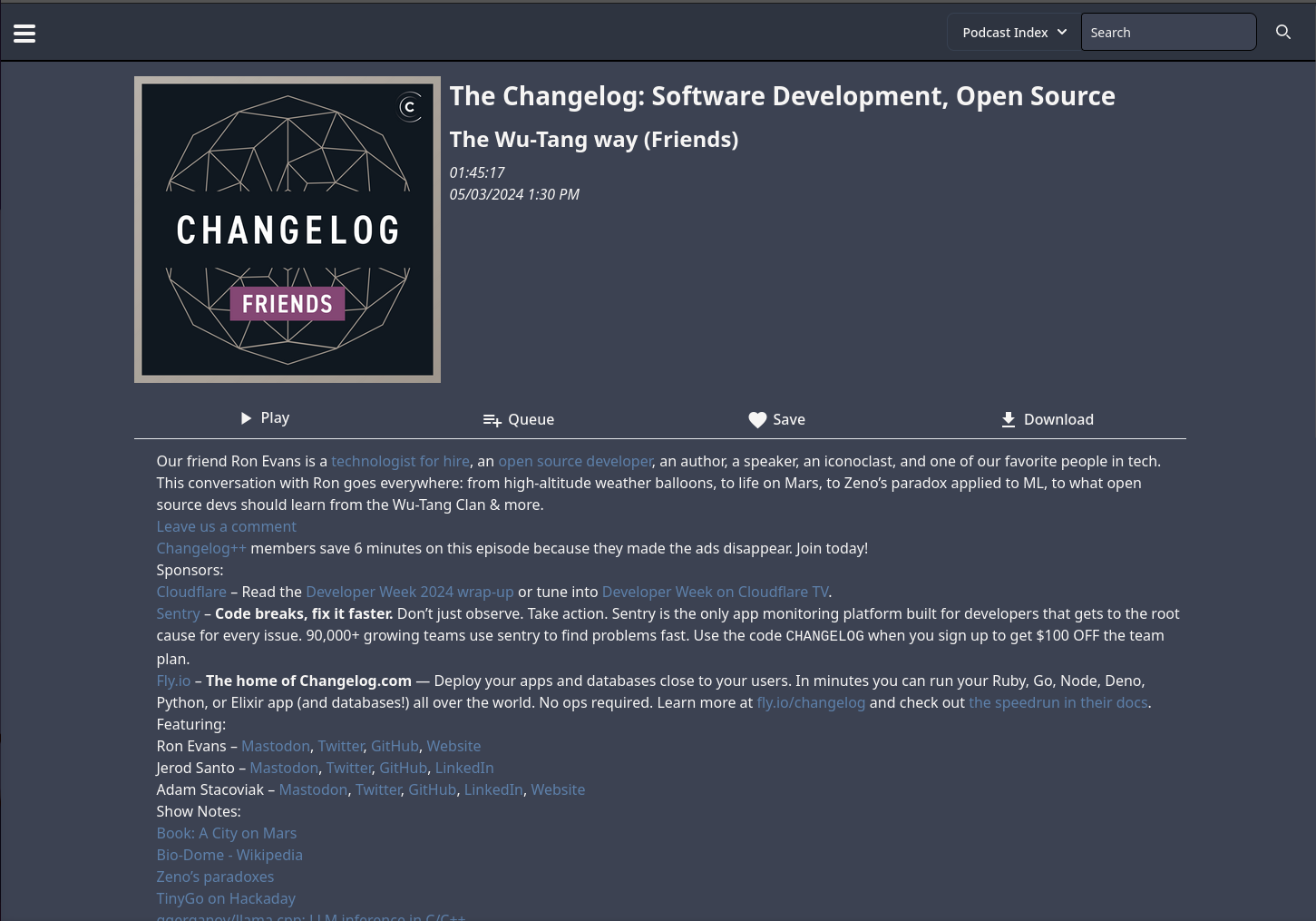
Browse through episodes
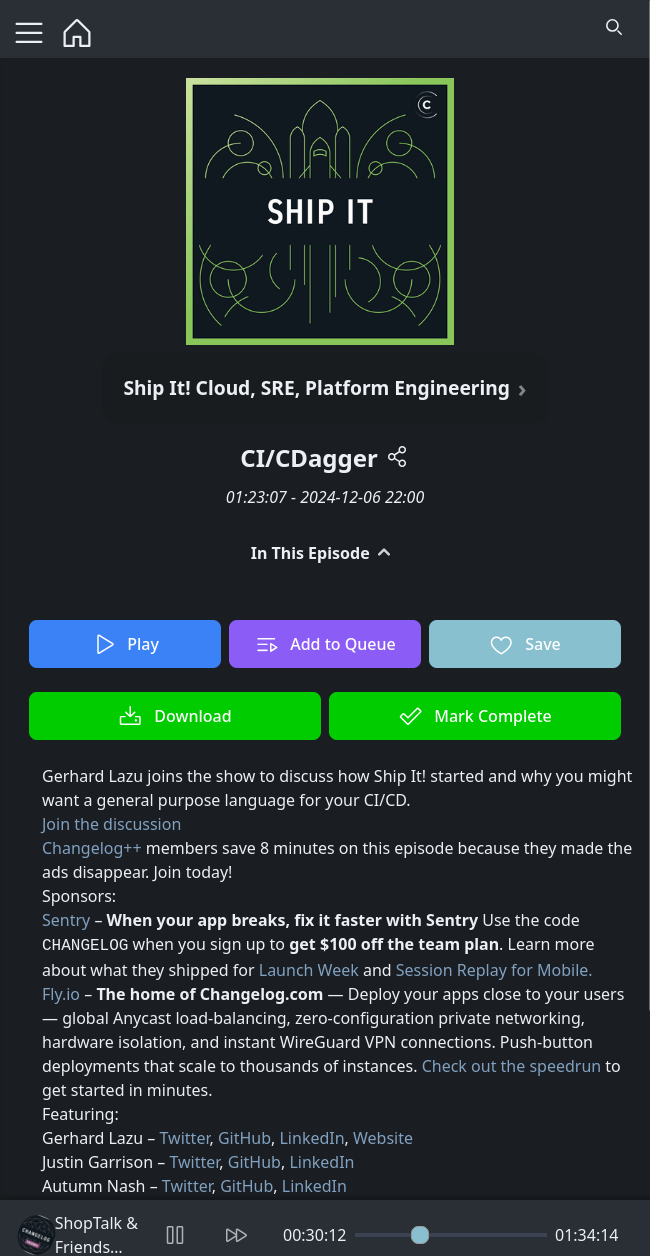
Markdown and HTML display compatible
Mobile support baked right in!

#### Runners
ARM Images made possible by Runs-On:
https://runs-on.com
#### 📜 Credits & Licensing
PinePods is an open-source podcast player developed by Gooseberry Development, licensed under the GNU General Public License v3.0 (GPL-3.0).
The Pinepods Mobile app in the mobile directory includes code adapted from the excellent [Anytime Podcast Player](https://github.com/amugofjava/anytime_podcast_player), originally created by Ben Hills.
#### 🧩 Included Third-Party Code
**Anytime Podcast Player**
© 2020 Ben Hills and project contributors
Licensed under the BSD 3-Clause License
Portions of the mobile app retain the original BSD license and attribution as required. Files with this license are labeled at the top to clearly indicate. See the LICENSE.ben_hills in the mobile directory for details.
#### 💬 Acknowledgment
Huge thanks to Ben Hills for open-sourcing the Anytime Podcast Player. It served as a solid foundation and greatly accelerated development of PinePods.
#### 🌐 Translation
Translations are managed through [Weblate](https://hosted.weblate.org), a web-based translation tool that makes it easy for the community to contribute translations. If you'd like to help translate PinePods into your language, please visit our Weblate project and join the translation effort!